Do you have what it takes to be a Microsoft CRM superhero? Well now you do with PowerObjects PowerPack CRM add-ons! The PowerPack tools are designed to help enhance the capabilities of Microsoft Dynamics CRM, while providing even greater functionality and efficiency. Developed based on the needs and feedback from our customers, the PowerPack tools are not just simple customizations for sales force and marketing automation, but offer true features to help you get the most out of your Microsoft Dynamics CRM investment.
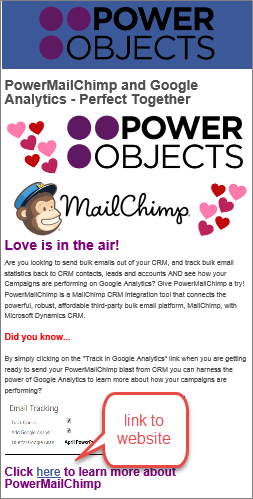
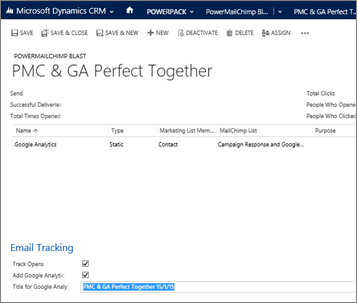
PowerMailChimp
Email marketing right from CRM, with the data where you need it most.
PowerSurvey
Develop surveys and send, collect and analyze data right within CRM.
PowerGlobalSearch
Saves users time when searching for data inside Microsoft Dynamics CRM.
PowerPhoto
Provides the ability to drag and drop images (JPG & PNG) onto contact records.
PowerFind
Easily find people in Microsoft Dynamics CRM.
PowerCharge
Card charging power straight from your CRM!
PowerBarcode
Create barcode images right from within CRM!
PowerWebTraffic
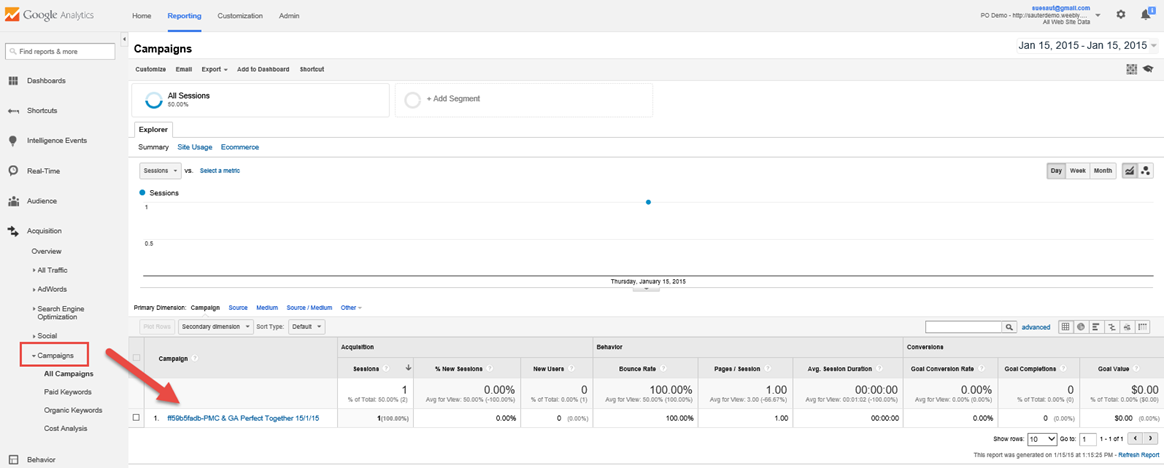
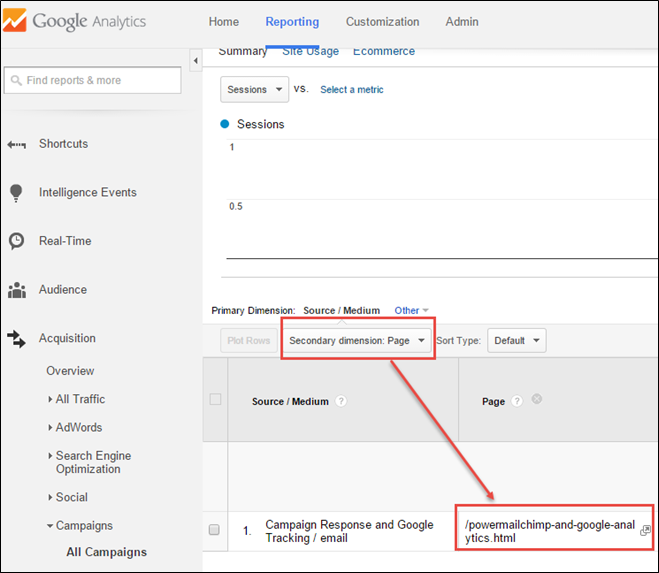
Combine the power of website analytics with the power of CRM!
PowerWebForm
Put forms on your website and pull information straight into CRM!
PowerOneView
View everything about an entity within one window!
PowerEmail
Easily track clicks and opens of emails sent from CRM.
PowerShare
Share documents and track whether contacts received them and opened them in CRM.
PowerZapEvent
Online event registration management built flawlessly into Microsoft Dynanmics CRM.
PowerSMS
Send text messages to any entity, whether it’s a contact, lead, or a custom entity.
PowerMap
Choose an entity, a view, and PowerMap plots all of the individual records on one map.
PowerSocial
Post to Twitter, LinkedIn and Facebook without leaving your Microsoft Dynamics CRM.
If you’re looking for add-ons that will help you automate your marketing processes, you’ve come to the right spot! Each of the add-ons below help reduce manual processes, and streamline many marketing-related procedures.
Please note that many of these add-ons will work together, but do need to be imported into your CRM separately, giving you the ability to pick and choose only the add-ons that you need.
PowerMailChimp
Email marketing right from CRM, with the data where you need it most.
PowerSurvey
Develop surveys and send, collect and analyze data right within CRM.
PowerWebForm
Put forms on your website and pull information straight into CRM!
PowerWebTraffic
Combine the power of website analytics with the power of CRM!
PowerShare
Share documents and track whether contacts received them and opened them in CRM.
PowerSocial
Post to Twitter, LinkedIn and Facebook without leaving your Microsoft Dynamics CRM.
If you’re looking to increase productivity in your CRM, look no further! The add-ons below will help save you time and clicks within Dynamics CRM.
Please note that each of these add-ons needs to be imported into your CRM separately, giving you the ability to pick and choose only the add-ons that you need.
PowerGlobalSearch
Saves users time when searching for data inside Microsoft Dynamics CRM.
PowerFind
Easily find people in Microsoft Dynamics CRM.
PowerOneView
View everything about an entity within one window!
PowerMap
Choose an entity, a view, and PowerMap plots all of the individual records on one map.
Do I have to pay for all CRM users, or just the people using the tool?
PowerPack pricing is based on the size of your CRM system which is calculated based on the total number of active users. Pricing is not based on the users that use the component. All users are counted, including admin and read-only users.
Why do you do that? I don’t want to pay for all users.
Because we needed to come up with some type of pricing model and it's easy for us to count the number of users. So instead of charging $100 or $200 a user that uses the tool and try to manage that – we decided to charge $1 or $2 for all users in the system.
Why are your tools so inexpensive?
Our goal is to drive success and value into Microsoft Dynamics CRM. We are a service provider with a lot of application development experience. We have combined these to make tools we think everyone can use and makes Microsoft Dynamics CRM a better product. The small amount we charge is used to offset the cost to develop and enhance these tools.
What if I want to buy the solution instead of subscribing?
We can look at this if you'd like, but the cost will be in the tens of thousands of dollars. Each of our PowerPack items has 100's of development hours behind them.
Do you offer any types of discounts?
Depends on a bunch of factors, but it would take a pretty big system before we started thinking about it. Our goal was to create a ton of value for very little in subscription fees and we do need some type of revenue so we can continue to support and enhance our tools. So if you have a bunch of users or are subscribing to a lot of our tools we can look at a discount.
How do I subscribe?
You can subscribe right within your CRM! Navigate to CRM Settings > Customizations > Solutions and double click on the name of the add-on. Change the trial radio button to subscribe, and fill in your credit card and billing information. Then click on Submit. After you submit, your credit card information will be masked, and your card will be charged $1 or $2/user/month for as long as you are subscribed.
What happens if I subscribe in the middle of the month?
If you subscribe to a PowerPack add-on in the middle of the month, your charge will be prorated, and you will only pay for the days that are left in the month.
Why do you require ADFS to be configured for on-premise CRMs?
ADFS and SSL are required to securely expose crm via the Internet. We are working on supporting windows azure in the near future, which will eliminiate the requirement for ADFS/SSL. If you would like help configuring ADFS, please contact us. However, not all of our add-ons require ADFS.
What information is sent during the registration process? And is it secure?
During the registration process the information you enter in the registration screen such your name, address, email, CRM organization URL, and the total number of active crm users is sent to PowerObjects cloud. The information is transferred encrypted with SSL. In addition, the components that require a ‘cloud portion’ such as PowerSurveys, PowerMailChimp, a user name and password is entered in the registration screen and is also sent to PowerObjects cloud. The password is always stored encrypted and no one has access to the password, even our support personnel. No crm data or information about actual users is ever transferred.
What happens if the number of users in my CRM changes?
On the first of the month, we will charge your credit card on file, based on the number of users that are currently enabled in your CRM. If that number changes month over month, the monthly charge will reflect that.
How do I get started?
Try any of our PowerPack Add-ons FREE for 30 days with no risk and no pressure to commit! There are no setup fees, no long-term contracts (simply month to month), and no credit card information required!
Setting up your free 30 day trial is as easy as:
Import
Grab the import.zip file from the respective PowerPack page and save it on your desktop, or in your downloads folder. Then navigate to your CRM and go to Settings > Customizations > Solutions and click on Import. Find the .zip file that you saved, and walk through the import process. Each add-on will take 2-5 minutes to import. After the import has finished, close that import screen.
Register
After the import has finished, you will see the add-on listed in your list of solutions. Double click on the name of the add-on to open the registration screen. Fill in your information in that screen and click on Submit to register for your free 30 day trial!
Note: If you are registering an add-on that asks you for a username and password, please make sure you are registering from your externally-facing URL.
Configure
Some of the PowerPack add-ons have some additional information that you can configure in a setup tab, or other tabs in the configuration screen. Please refer to the import & setup guides for the particular add-on that you imported, which can be found on the individual PowerPack pages.
Thank you for giving the PowerPack add-on a try!
If you’re loving the PowerPack add-on, subscribe for the low cost of $1 or $2/CRM user/month! If the add-on isn’t suiting your needs, simply remove the solution.