

How Microsoft Power Platform is helping to modernize and enable...
In this webinar, our experts showcase a variety of demo use cases of how different components of the...
If you've created a custom entity in Microsoft Dynamics CRM 2011 (or CRM 4 for that matter) you've noticed the "Name" field of this entity is a required field. What if this field serves no useful purpose for your users. It could just be an extra field that the user must populate in order to save a new record.
You could easily auto populate that field with a static value; however, since this field shows up (and is required) in many of the system views and well as the Lookup field on related forms, this is probably not the best option. A better option might be to have CRM (with the help of a simple javascript) automatically populate the current Date/Time that the new record was created. This will make the Name field useful while satisfying CRM's appetite for wanting the field populated with some value.
In the example below, the custom entity was set as an Activity Type. These types of entities will (by default) rename the required field to "subject".

Since this is a standard text field, the following script will result in an error since we are attempting to populate a date value into a text field.
[code lang="js"]
function subject()
{ if (crmForm.all.subject.DataValue==null)
{
crmForm.all.subject.DataValue=new Date();
}}
[/code]
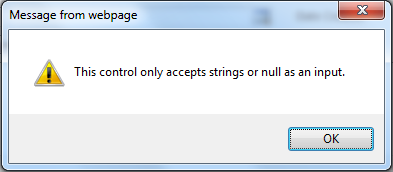
Instead, we need to convert this date value to a string.
Here is the proper code:
[code lang="js"]
function subject()
{ var now = new Date();
if (crmForm.all.subject.DataValue==null)
{
crmForm.all.subject.DataValue=(now.toString());
}
}
[/code]
Executing this code onLoad of the form with first check to see if the "subject" field contains data. If it does contain data, the script will not modify it. If the subject field is blank, it will populate the current date as a string as shown in the view below.

In most cases, it is recommended that the Name/Subject field for every entity is used to populate a value that uniquely identifies that record. But for those instances where it's simply an extra field that users are required to populate, this might be a viable option.
(Javascript gettin you down? Is this stuff too technical for you or your team. Feel free to reach out to our MSCRM Experts....we'd love to help on your next project.)
Happy CRM'ing!







Great article, handy tip and code snippet on converting date to text
Just to be clear: if you create a new entity you have a one-time choice whether you want the subject to be business required or not. You cannot change this later, but you can choose for the primary field to not be mandatory at the point of creating the entity. If you don't want to use it at all, you will notice that it is locked on the forms and you can't take it off - but you can change the field properties so it is not visible by default. Sneaky! You also cannot remove it from some views, such as Lookup View, but you can probably ignore it if made narrow enough.
If you choose to make the new entity a custom activity then this is not true, it is always Business Required, as with the one in your example.
For activities it must also be called "Subject" and is always a 200 character text field, no choices This is to do with Activity Pointers needing a consistent set of fields, it seems.
I have various times where I auto-populate the primary field with text based on the parent record ("Timesheet for project foo") or for entities which are acting as an intersection to create a manual N:N I may use details from both sides ("John Smith is attending Big Trade Show Event on ") so these "subjects" have lots of useful information in when used in views.